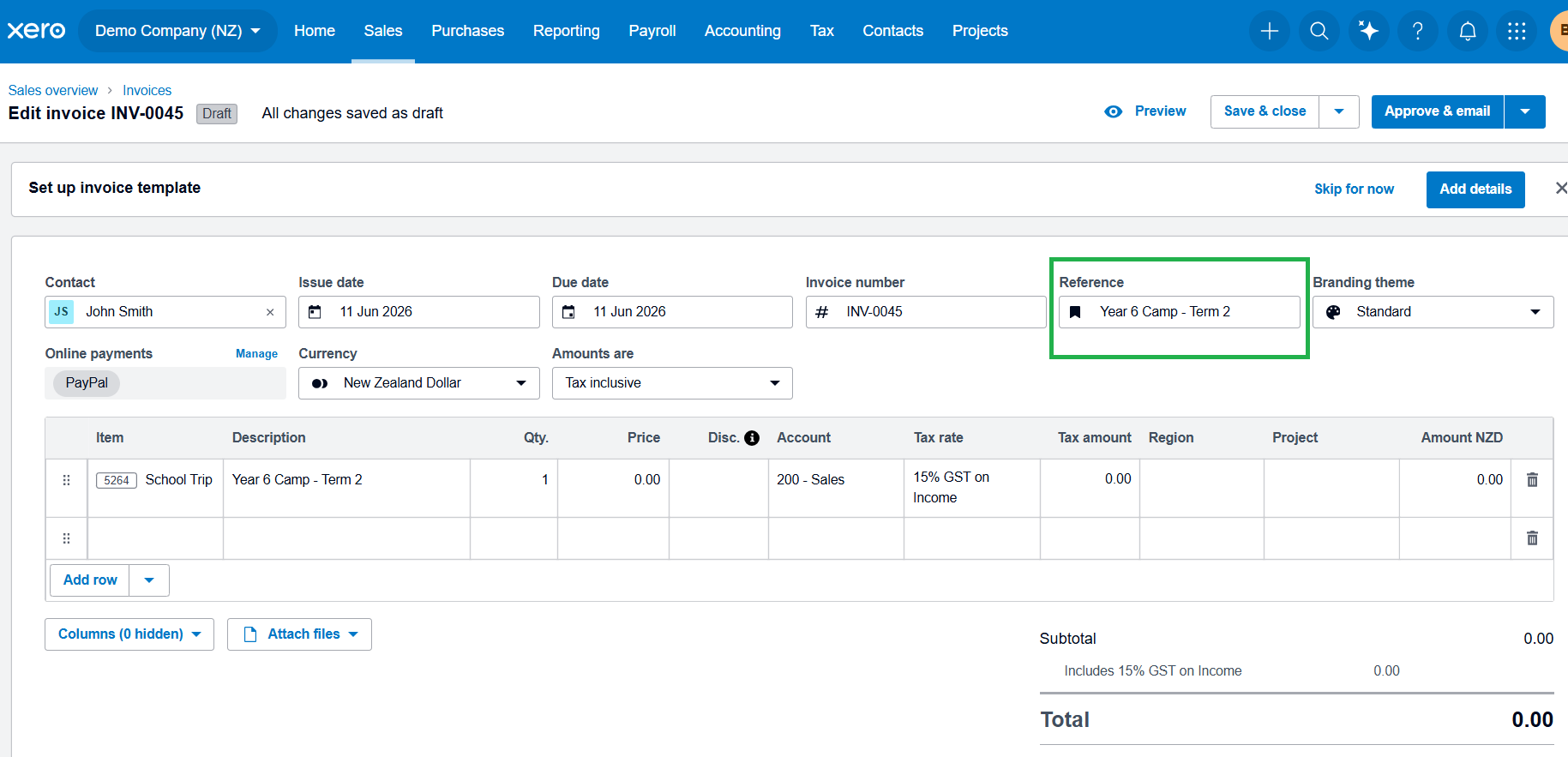
Xero Tip of the Month: Use Reference Fields Consistently for Easier Searching

A simple but highly effective habit in Xero is consistently using the reference field when entering invoices, bills, or bank transactions. While it’s often overlooked, it can make a big difference when it comes to finding and identifying transactions later on.
For schools managing a high volume of activity such as trips, donations, suppliers, and term-based billing - consistent reference naming helps keep everything easier to track and search.
How to use the Reference field in Xero:
1. When creating an invoice or bill, locate the Reference field
2. Enter a clear and consistent description, such as:
- “Term 2 Trip – Year 6 Camp”
- “Stationery Order – June 2026”
- “Donation – PTA Fundraiser”
3. Save or approve the transaction as normal
4. Use the search bar later in Xero to find transactions by reference
Using consistent references makes it much easier to locate specific transactions quickly, especially when reviewing reports, answering queries, or preparing for audits. It also improves clarity across the finance team and supports more efficient reconciliation and reporting.